
Nexgen’s Automated Fibonacci Based Software has been available to the public for 28+ Years.
Designed as an all-in-one system for automated trend analysis, high probability levels of support and resistance for trade entry, risk management, and take-profit areas.
The package includes detailed trading plans, clear rules, and live educational support & continued technical support.

Why Trade With Nexgen?
Over 28+ Years in Business | Automated Analysis Software | Expert Coaching
Cutting-Edge Trading Software
Advanced Automated Fibonacci Day Trading System
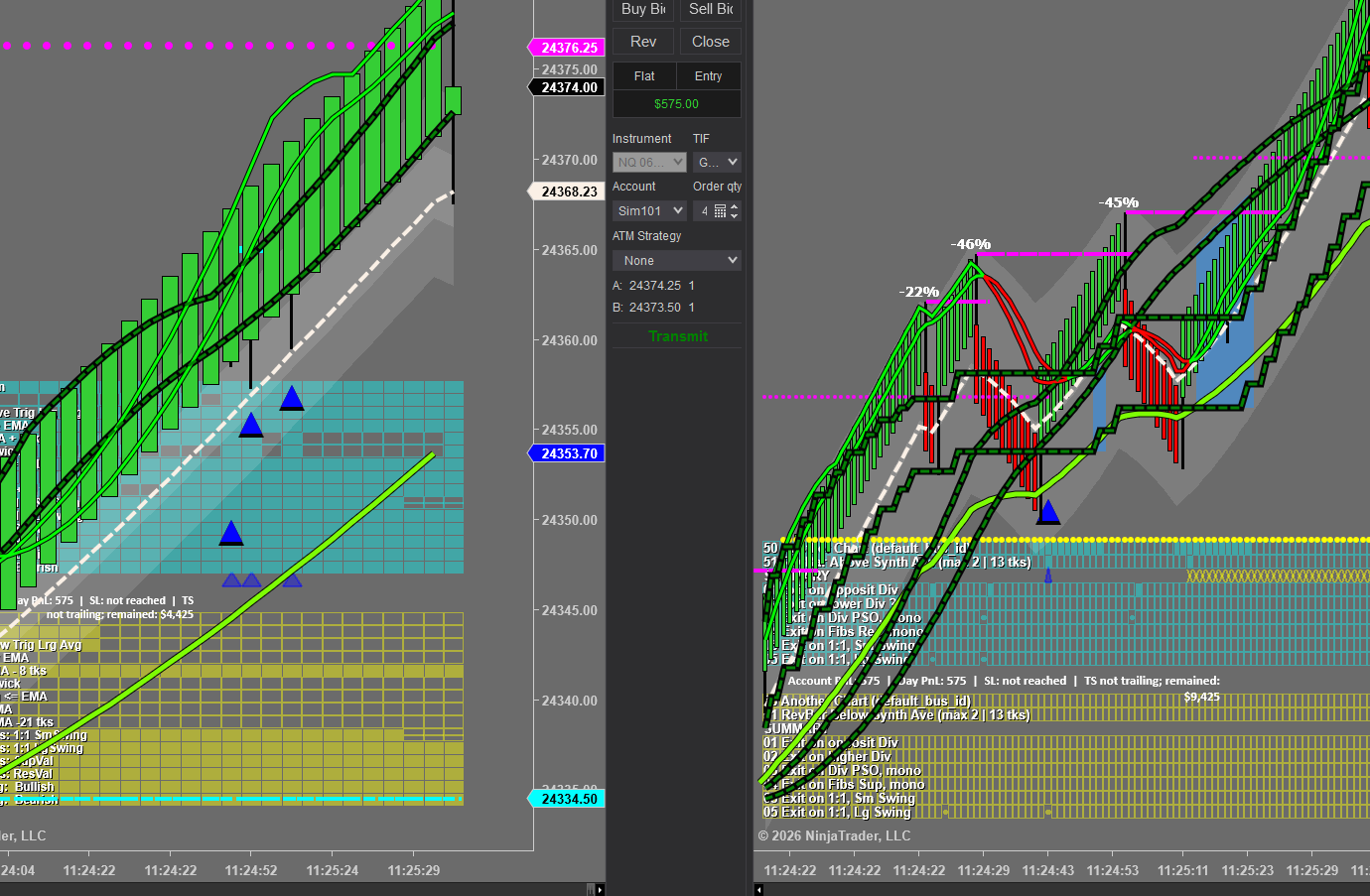
For more than 28 years, Nexgen has delivered powerful, Fibonacci-based day trading software trusted by traders looking for precision, confidence, and consistency. Now, Nexgen takes it even further with a fully automated trading system that enters and manages trades as the indicators project future support and resistance turning points.
This is more than just software. It is a complete trading solution backed by a proven trading plan, featuring clear entry and exit strategies that have helped traders for decades.
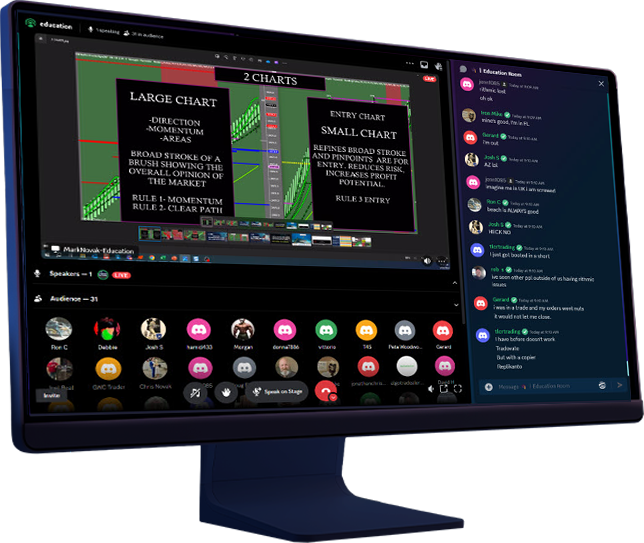
To accelerate results, Nexgen provides live system trading education every Monday through Friday inside its Discord community. Traders receive hands-on instruction, real-time guidance, and immediate feedback on trades shared during class, helping them learn the rules faster and build confidence in executing the system successfully.
Live Coaching & Responsive Support
Live System Trading Daily, Monday – Friday
Nexgen Software Services has run a live chat room since 2000. This makes Nexgen experts in fine-tuning traders into highly successful, confident traders. Spend time watching our trading systems live.
If you need a trading system and hands-on training, Nexgen’s Discord is an invaluable resource. It is available to those with an active subscription to the system trading Discord Room.
Your One-Stop-Shop For Everything Trading
Trader Capital Funding Available
Nexgen ProTrader Funding
Nexgen ProTrader Funding is designed to assist traders with a winning plan who do not wish to risk their capital while understanding the benefits of compounding profits using multiple accounts.
Nexgen ProTrader Funding gives you an exceptional opportunity to secure higher amounts of trading capital to create higher returns. Nexgen’s funding plans are straightforward and eliminate unnecessary rules. Nexgen wants all its clients to win by maximizing profits while mitigating risk.
Partners For Life 
We want to build a partnership where our clients experience pinpoint-accurate trading rules. These rules can be used on any market, any timeframe, to give you an unprecedented edge over the market.
Join our Discord community and benefit from the unmatched expertise and reliability that has made Nexgen the top choice for serious traders worldwide.
Choose Your Nexgen Software Pricing
Need Funding? Click Here
2500
90 Day Lease
T3 System & T3 Fibs ProTrader Fibonacci-Based Indicators
Complete Essentials Included:
- T3 Trend Trade Automated System
- T3 Fibs ProTrader Fibonacci Levels
- T3 Market Flow Volume Analysis
- TradingView & Ninja 8 Included
- Discord Trading Class Access 30 Days
- Simulated Trading Account
- Live Technical Support
16500
Lifetime Software License
T-3 Fibs ProTrader Fibonacci-Based Indicators and Trend Trade Strategy
Complete Essentials Included:
- T3 Trend Trade Automated System
- T3 Fibs ProTrader Fibonacci Levels
- T3 Market Flow Volume Analysis
- Ninja 8 Version
- Discord Trading Class Access 30 Days
- Simulated Trading Account
- Live Technical Support
199
Monthly Lease
Discord Access
Trading Room Features
- Live Trading of T3 Trend Trade Strategy
- Discretionary Entries using Trading System
- Market Analysis
- Educational Lessons When Time Allows
Trustpilot Reviews

Nexgen Is Top Notch!
The signals are very accurate. John & Mark are excellent teachers and the support staff is second to none. The trader’s chat Discord provides a great family and community of traders to learn with.
— Gene Webster
Excellent Classroom With….
Nexgen training, customer services, and technical support has been amazing. I don’t have to wait to speak to any of these and have been satisfied at every call or message.
My only regret is not finding out about them until 2019.
— Lonnie Bravo
Shape Your Own Destiny
There is no other platform in the world that will give you total control of your future. The specialized and proprietary tools are provided, and it then is up to you to learn and use those tools to shape your own destiny on your terms.
The customer service is top notch with phone and email support available.
— J. Horn
Staff Is Extremely Helpful…
The staff is extremely helpful, genuinely want the best for you. They go over and above any other trading platform out there.
Their system is very accurate of their claims of 70-80% win rate. Tech support is amazing. I Highly recommend Nexgen Software.
— Stephen Jackowski
To Anyone Looking To Learn To Trade..
I highly recommend Nexgen. Great tools, Education & top-notch customer service.
— Jeremy Blay
Fantastic Education…
Fantastic education linked to continually improving software. Everybody at Nexgen truly wants to help their members become better traders. I have learned more with Nexgen in the last year than I have in the last ten- plus years with many other programs. Thank you!
— David Burton
Experienced Educators With Superior Software
Nexgen excels at education with structured learning. The software has been developed over decades with a trading method proven daily by hundreds of users.
Each individual traders must have the patience to study, and learn the system to be successful.
— Donald Scholtz
New To The Platform
I am new to the platform, but I can tell you that the software and the education is awesome. I day trade stocks right now and plan on futures shortly. I would 100% recommend Nexgen T3 to anyone that wants to understand and trade successfully. If you want a quick get rich program, this isn’t it, but if you want people that care about your training to make you a consistent and successful trader, this is IT!
— Kelly Walker
Nexgen Is A 5 Star Organization
I purchased the Lifetime software license over 20 years ago and have been a client ever since and no extra costs. John Novak has continued to our time and money into this software to continually enhance it’s performance and accuracy. In addition, the Traders Chat room, daily education with Mark and technical support are second to none. I have yet to see a comparable product in the marketplace.
— Merrill
